You can delete your SettleDue account at any time. This action is permanent. You cannot undo it.
What the system removes
When you delete your account, the system removes all of your data:
- Clients and contacts
- Invoices
- Estimates
- Expenses
- Time entries
- Payments
- Your business logo
Export your data before you delete your account. Go to
Export your data for instructions.
How to delete your account
- Click Account in the navigation menu.
- Scroll down to the Danger Zone section at the bottom of the page.
- Type your username in the text field to confirm.
- Click Delete my account.
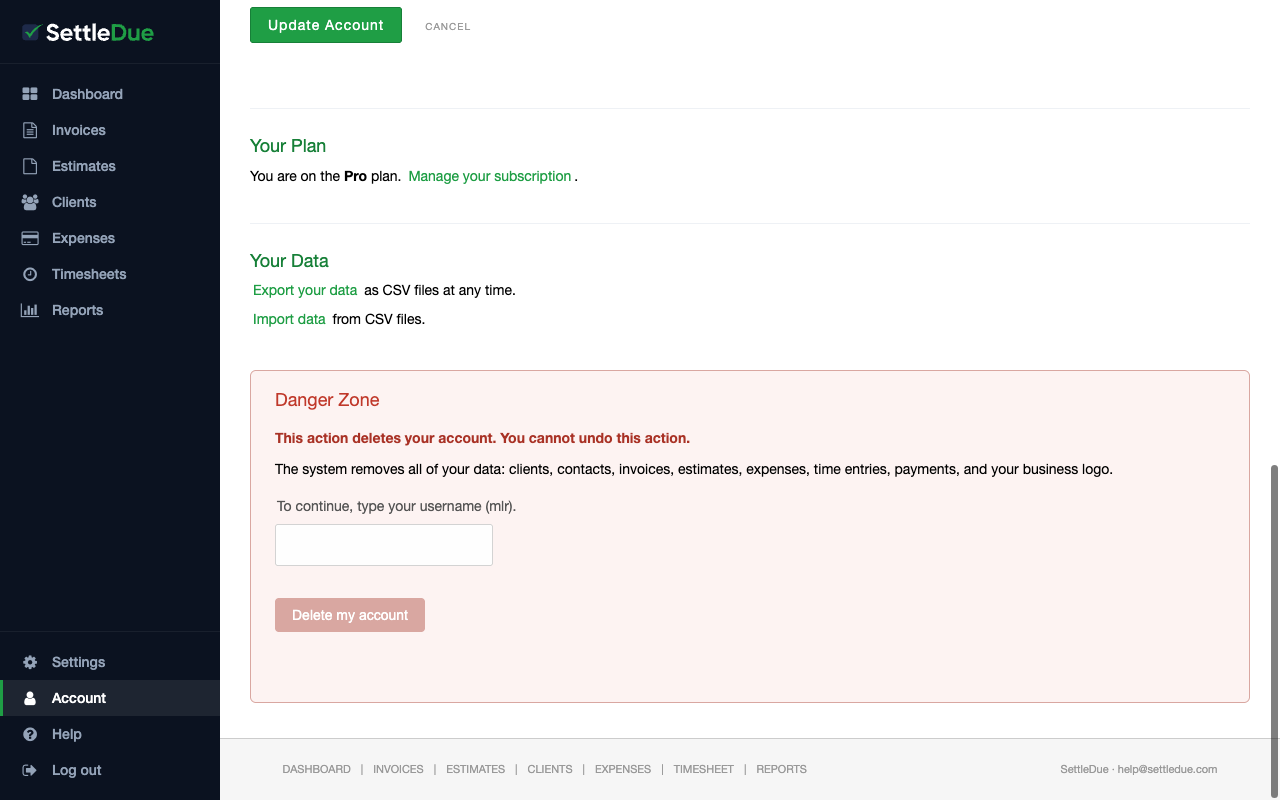 The Danger Zone section on the Account page. Type your username to enable the delete button.
The delete button stays disabled until you type your username correctly. This prevents accidental deletion.

